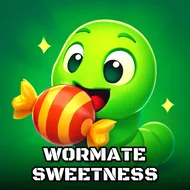
Wormate Sweetness
Instructions:
Mouse or Joystick to guide your wormDescription
Wormate Sweetness Free Arcade Experience
Controller & Keyboard Guide
- Move the mouse in any direction and your worm follows the cursor, no keys involved.
- Joystick support works the same way if you'd rather use that instead of a mouse.
- Click Start from the skin menu and you're dropped straight into the arena, no long-winded tutorial.
- Speed adjustments happen naturally as you steer tighter or looser curves around rivals.
- There's no pause button mid-match, so pick your moment before committing to a risky loop.
Features
- A skin picker at the start screen lets you pick a look before every match, purely cosmetic but fun to mess with.
- Candy scattered across the map is the main way to grow, and bigger piles mean bigger risk from other worms circling the same spot.
- Head-to-body collisions decide everything: touch someone else's body and you're done, but they slip up against yours and they're the one who explodes.
- Defeated worms leave behind trails of candy remains, so a good kill can hand you a serious growth spurt in seconds.
- Other players fill the arena at the same time, meaning the map never really settles down or gets predictable.
- The whole thing runs in short bursts, easy to jump into for five minutes or stretch into a longer session if you're on a roll.
What makes this one click is how quickly a match can flip. You're crawling along, hoovering up candy, feeling pretty safe, and then some stranger's worm cuts across your path at the worst possible angle. One wrong flick of the mouse and it's over, but land that same move on someone else and suddenly you're twice the size you were a second ago. It's simple in concept, snake with candy and other players thrown into the mix, but the tension of never knowing who's lurking just off-screen keeps things sharper than you'd expect. Good for a quick break, dangerous for anyone who tells themselves "just one more round."